
Google Sheet Extension
PDF to Pass
Image to Pass
QR Code Generator
Barcode Generator
Learn how to create and share mobile wallet passes directly from Google Sheets using the AddToWallet add-on. This approach makes it easy to generate passes at scale, manage data in one place, and instantly share wallet links with your users—all without writing any code.
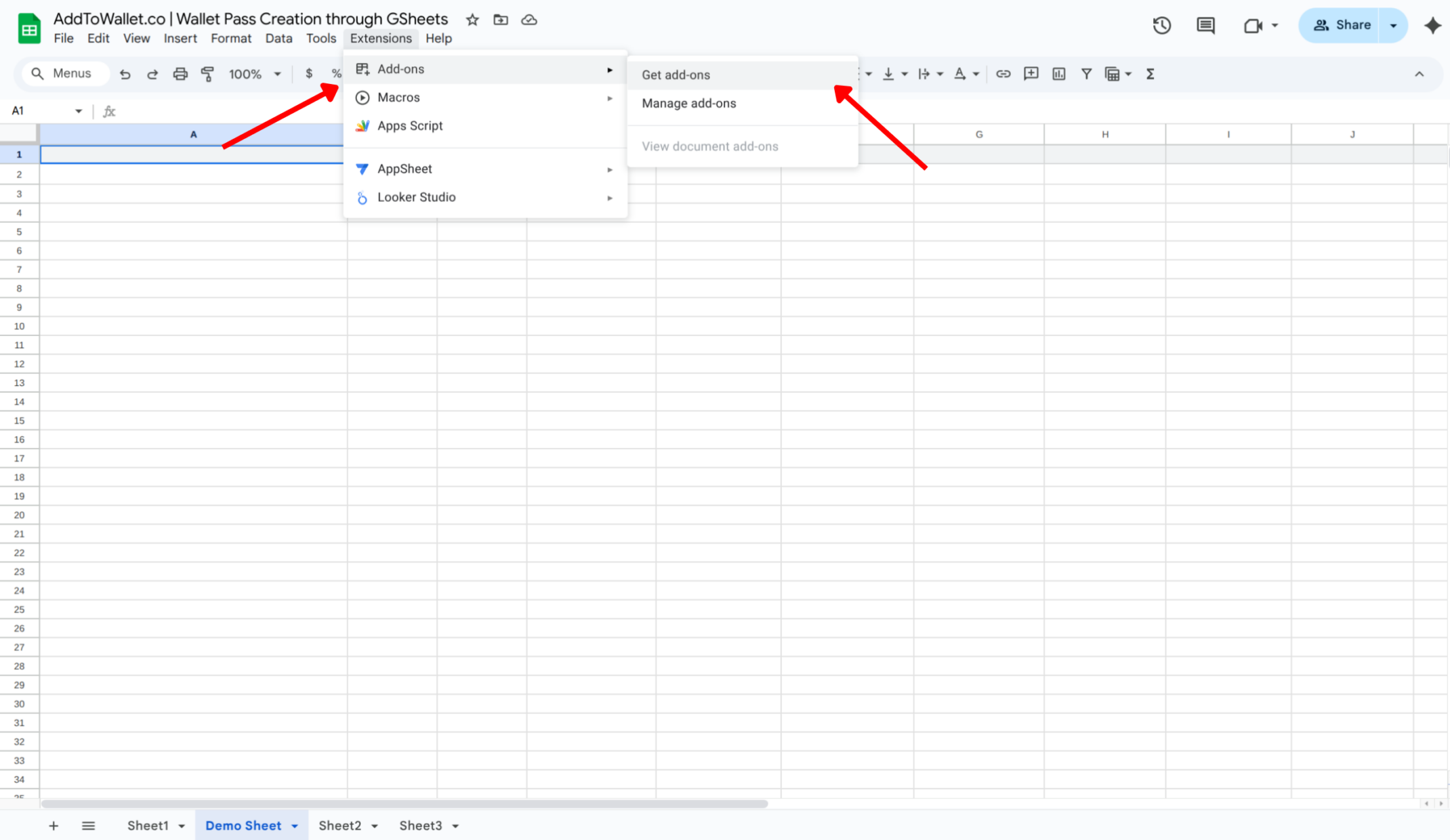
Open your Google Spreadsheet, click on Extensions, and then select Get add-ons.
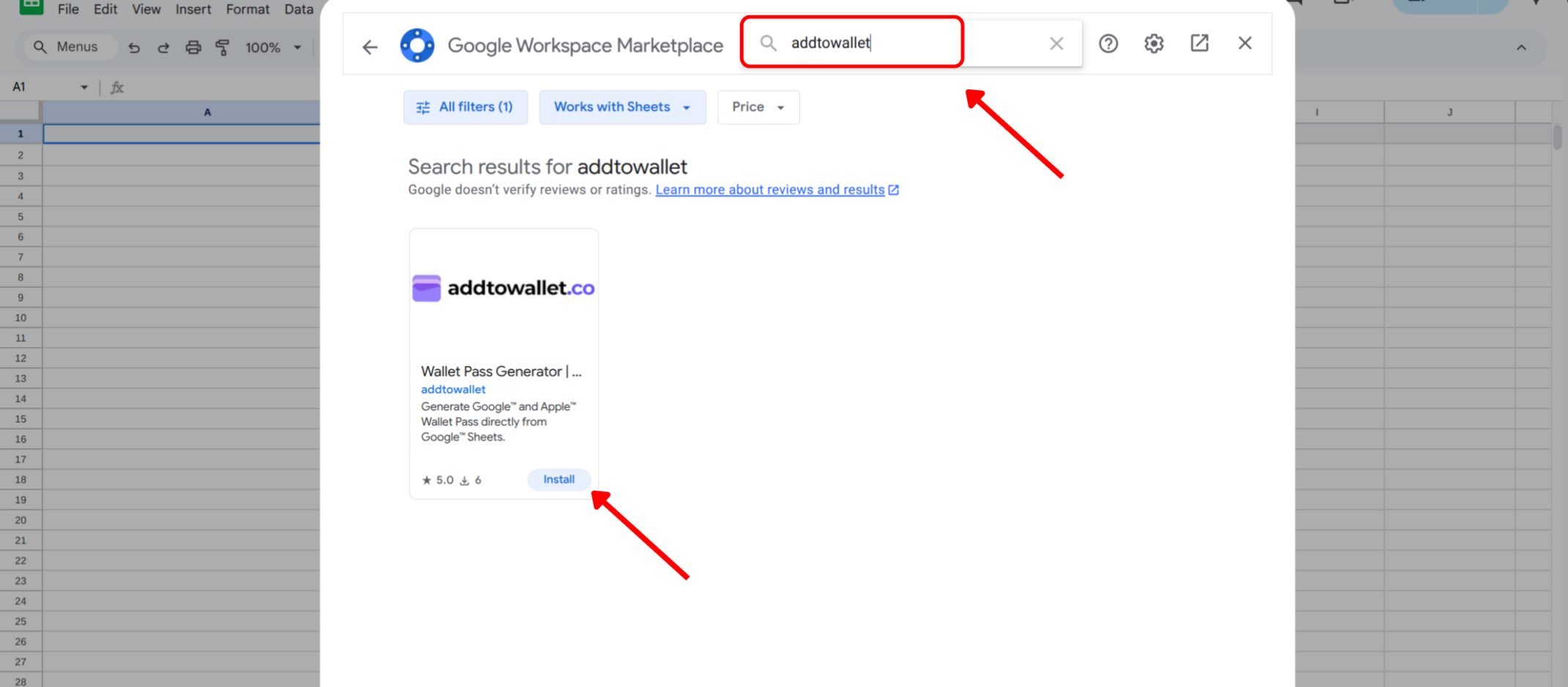
In the Add-ons store, search for AddToWallet and click Install. Or you can open it directly via this link: Wallet Pass Generator Add-on
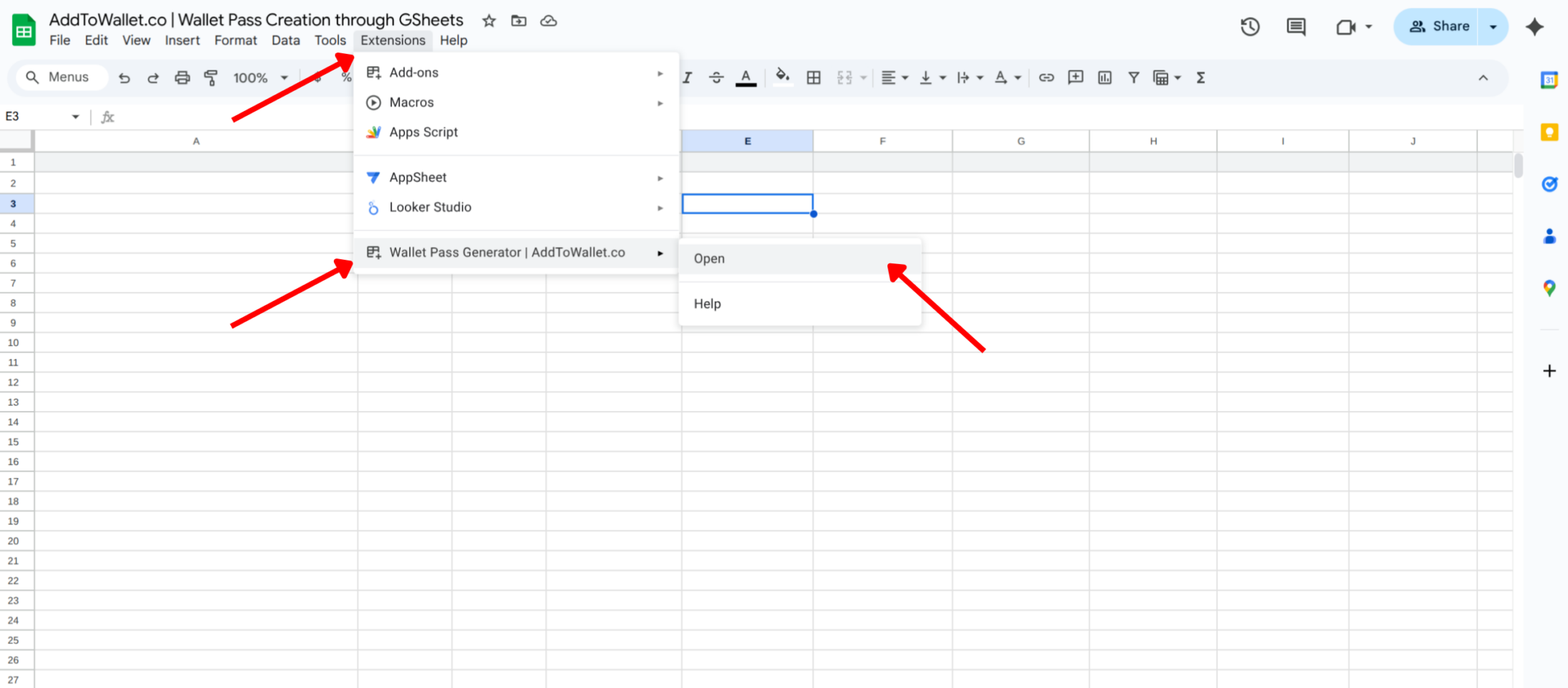
After installing, click on Extensions, select Wallet Pass Generator, and then click Open.
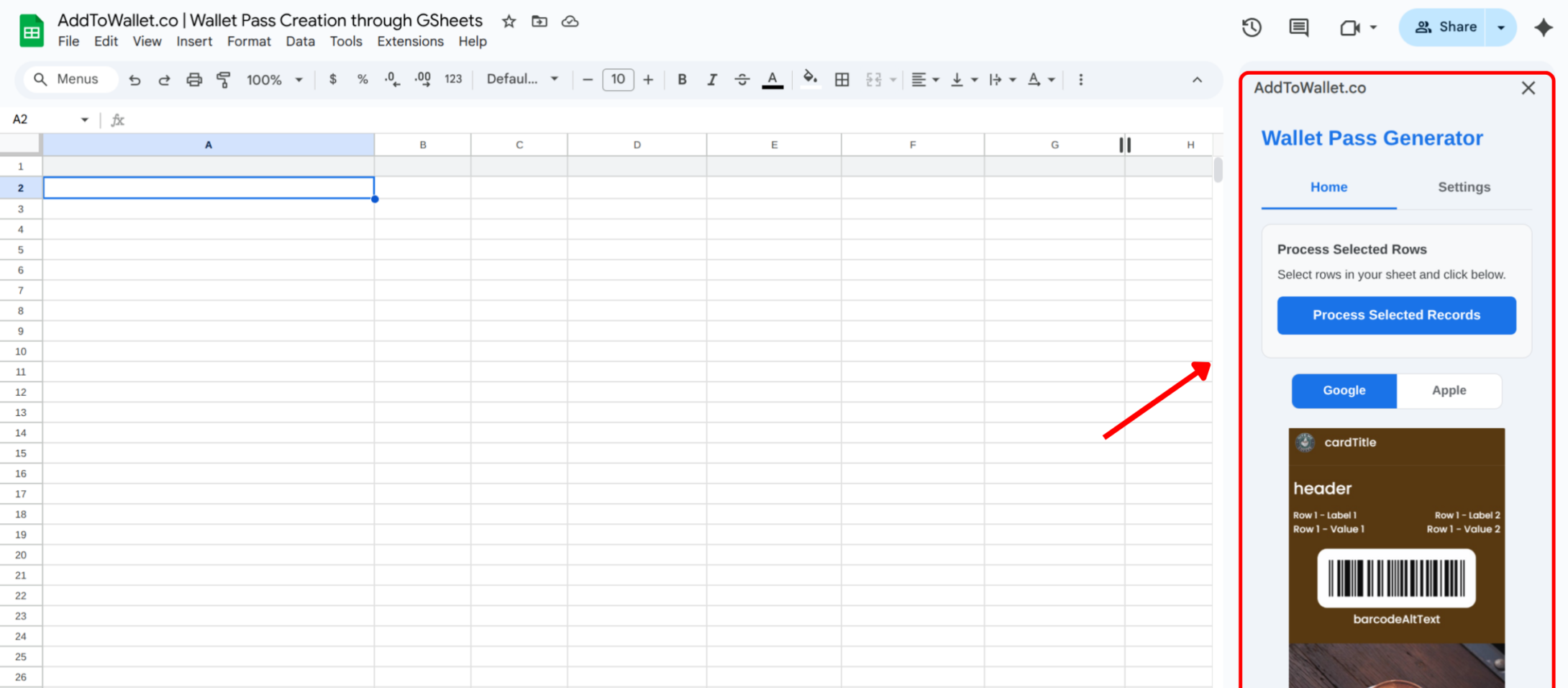
Once opened, the add-on will appear in the sidebar, like this:
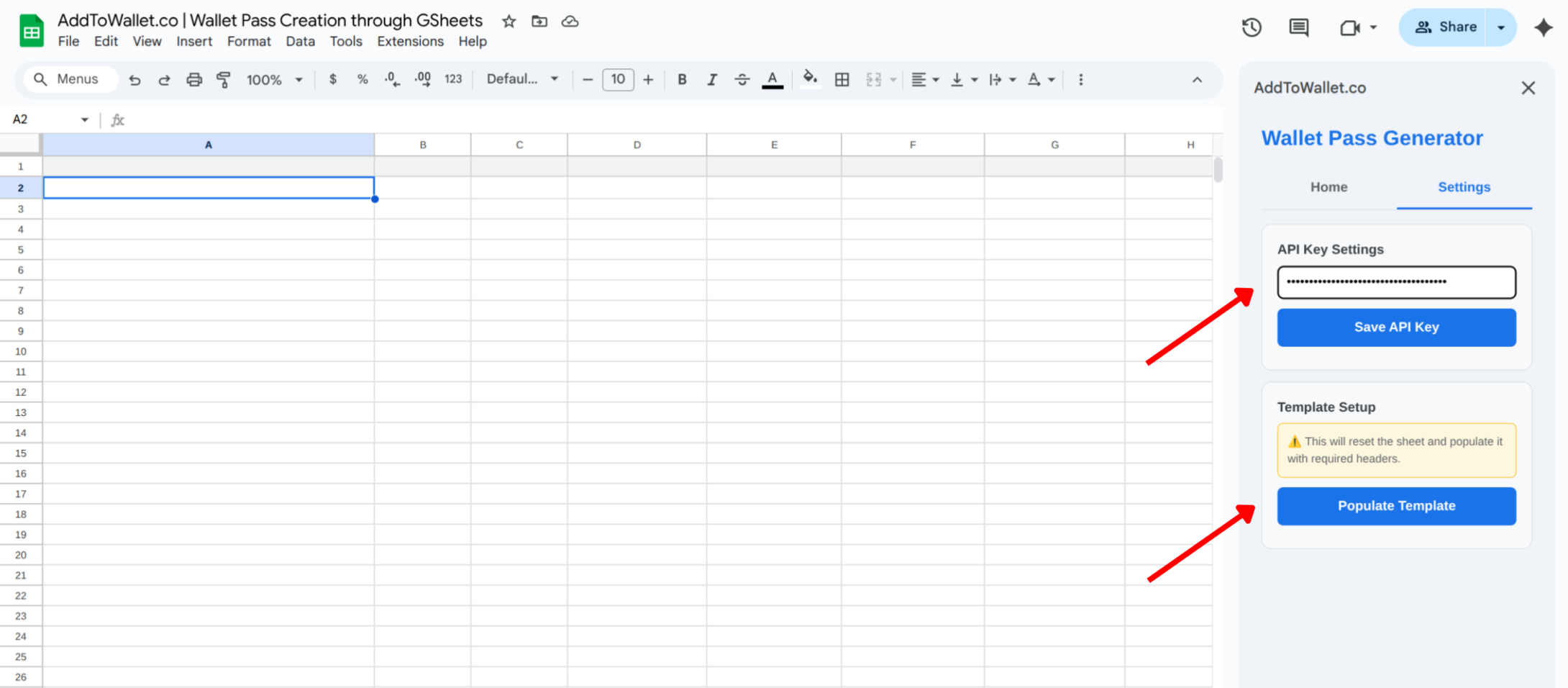
Click on Settings and paste your API key at the top. Then click Populate Template to add the template to your sheet, and fill out the rows based on the pass you want to create.
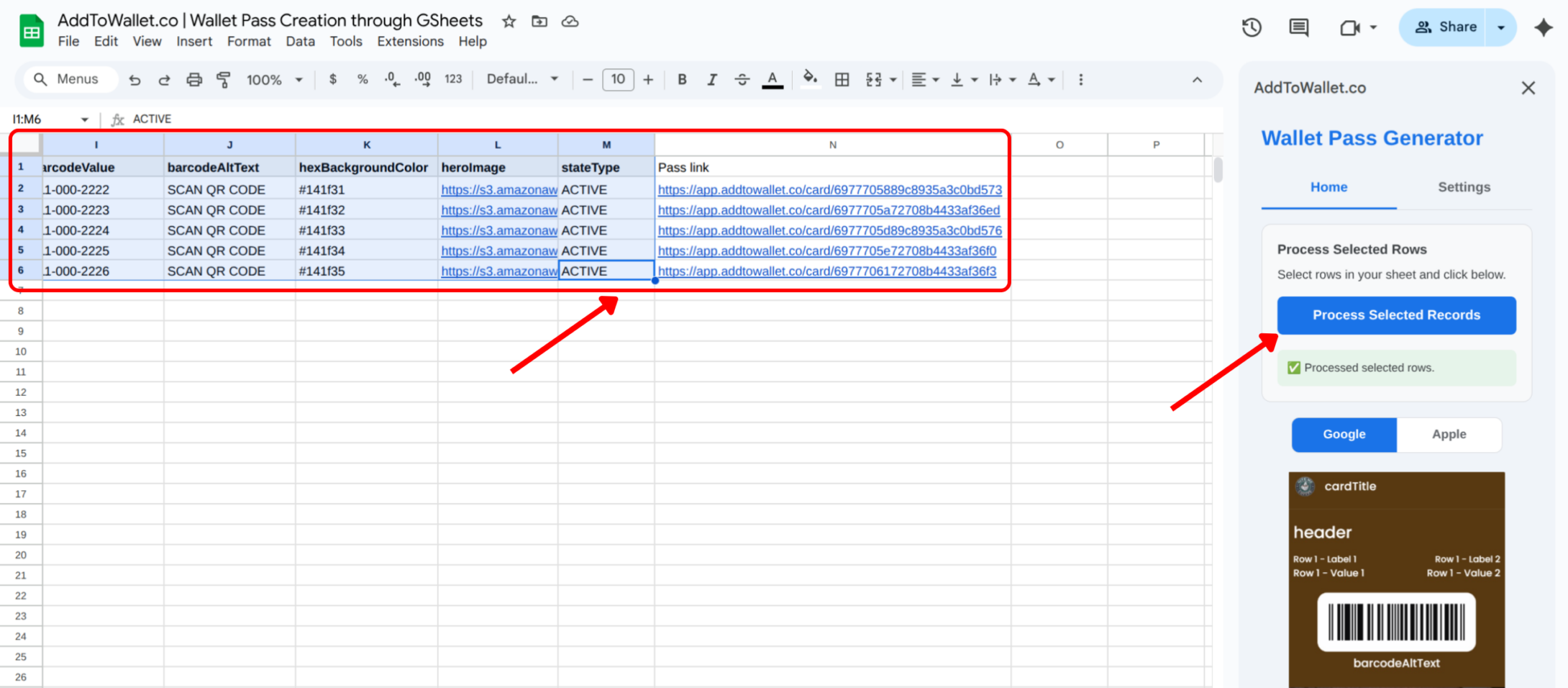
To generate passes for your data:
You now know how to create and share mobile wallet passes directly from Google Sheets using the AddToWallet add-on. This approach makes it easy to generate passes at scale, manage data in one place, and instantly share wallet links with your users.
Whether you're creating loyalty cards, coupons, event tickets, or gift passes, this method helps you streamline pass creation without writing any code.