In WordPress go to Plugins → Add Plugin → Upload Plugin, choose the file, activate it, then open EventON Lite → Wallet Pass. EventON or EventON Lite must already be active.
How it works
1Install the plugin and paste your AddToWallet API key under EventON Lite → Wallet Pass.
2Publish an event. One shared pass is created for that event.
3Open the event page. Apple and Google buttons sit under the event card. Use [atw_eventon_wallet] if the page does not show them.
What your attendee sees
Wallet badges appear under the event card on the public event page. Both Apple and Google are offered.
Badges stay visible while the pass is being prepared, then link to the hosted pass page.
Both wallets are offered so attendees on any device can save the pass.
What you configure
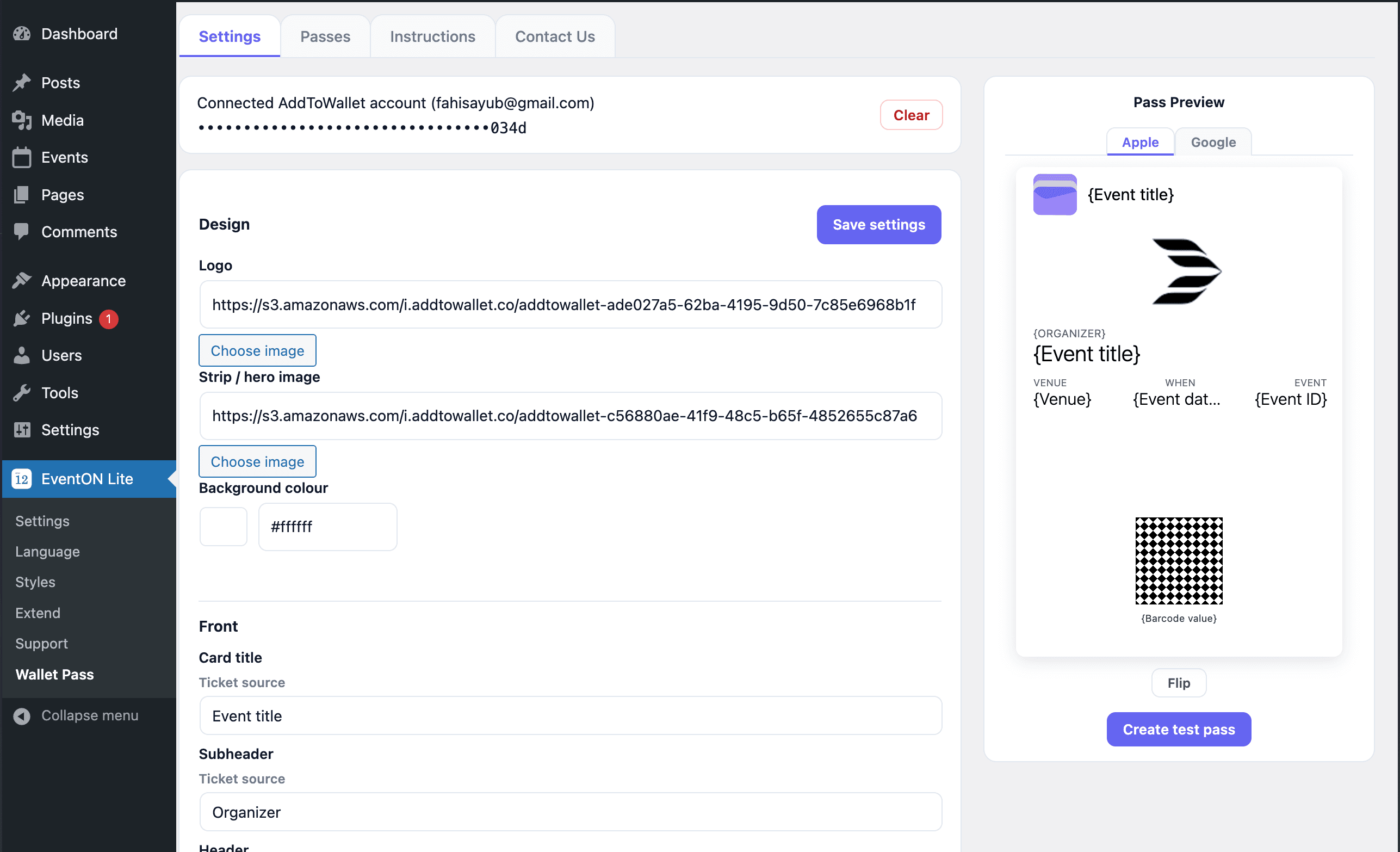
One settings screen under EventON Lite → Wallet Pass, with tabs for passes and instructions.
API key
Stored on your server and never sent to the browser. Paste it once; leave the replace field blank to keep it.
Design
Logo, strip/hero image, and background colour for every event pass.
Front
Map event sources (title, venue, date, organizer) to pass fields. Works with defaults out of the box.
Back
Link rows on the back of Apple and Google passes.
Pass preview
Apple and Google tabs with Flip — see the back before you go live.
What you get
Add to Apple Wallet and Add to Google Wallet on the EventON event page
One shared pass per published event
Updated events refresh the pass automatically
Trashed, unpublished, or cancelled events expire the pass in Wallet
Field mapping from EventON event data to pass rows and barcode
Flippable in-plugin Apple and Google preview on Settings
With Event Tickets, one pass per ticket after the WooCommerce order is Completed
Requirements
WordPress
5.8 or newer
PHP
7.4 or newer
EventON
EventON or EventON Lite
AddToWallet
An API key with pass credits
Good to know
Each published event uses one credit. Event Tickets is optional: a completed WooCommerce order gets one pass per ticket, and that event does not also get the shared public pass. If your balance runs out, the event still publishes but no pass is created.