Every paid WooCommerce order becomes an Apple Wallet order pass, so customers can track fulfillment from their lock screen instead of digging through email.
In WordPress go to Plugins → Add Plugin → Upload Plugin, choose the file and activate it. WooCommerce must already be active.
How it works
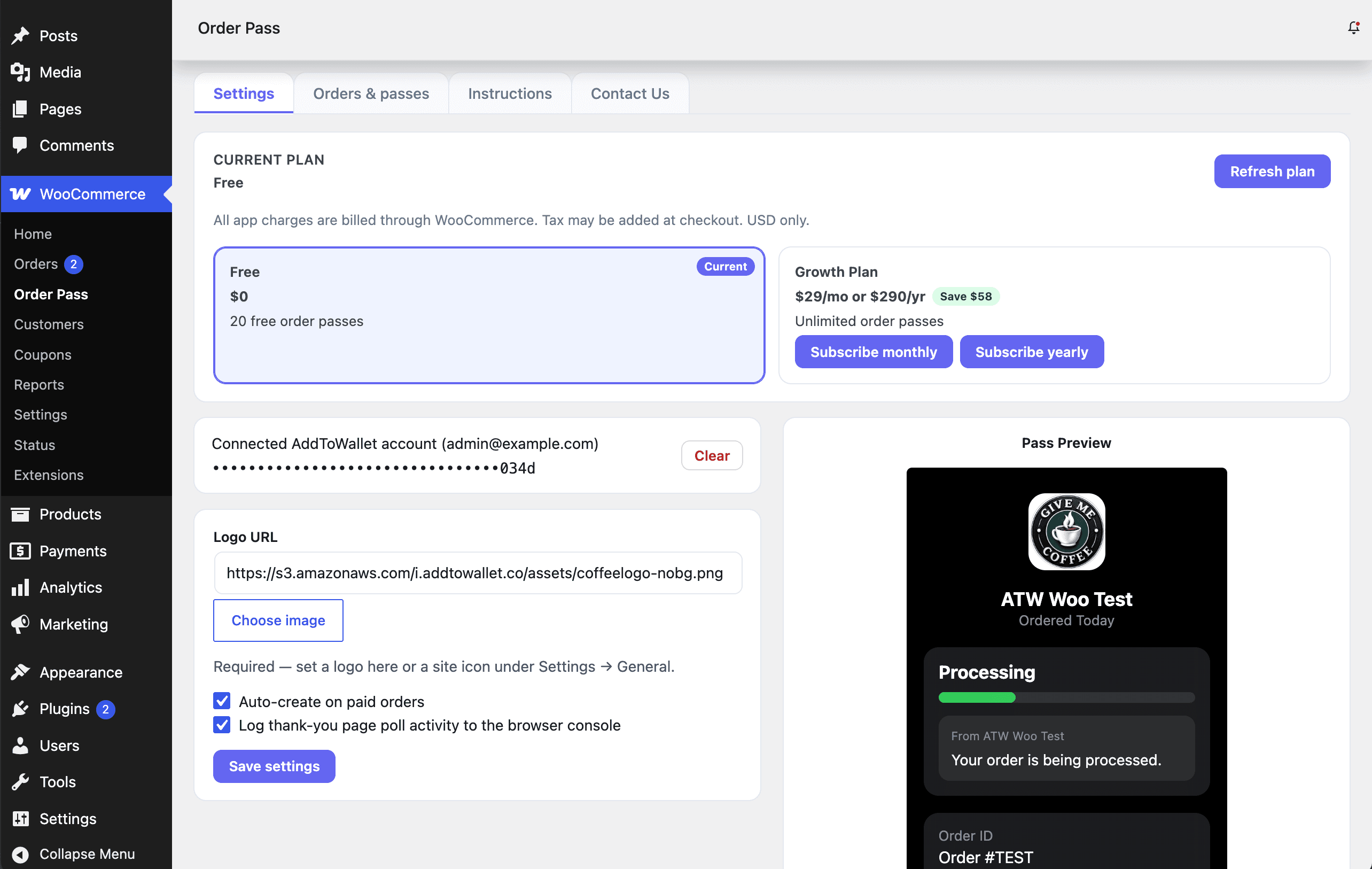
1Install the plugin and paste your AddToWallet API key under WooCommerce → Order Pass.
2A customer places an order on your store.
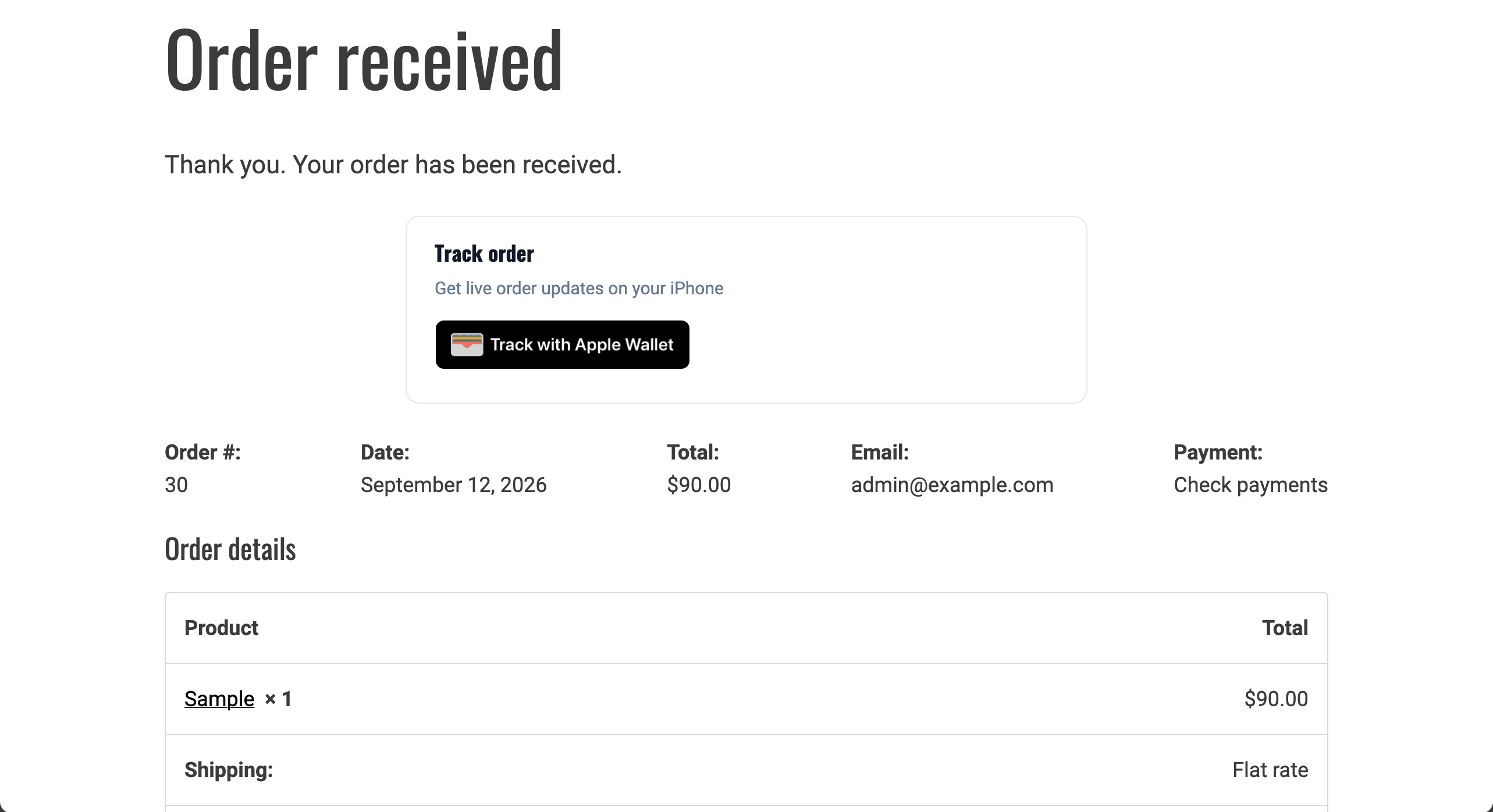
3The thank-you page shows Track with Apple Wallet. The pass updates when you complete or cancel the order.
What your customer sees
The Track with Apple Wallet badge is added above the order details on the thank-you page and on My Account → View order. No theme edits are required.
The badge stays visible while the pass is preparing, then links to Apple Wallet when ready.
Block checkout guest confirmations are supported via the order confirmation blocks.
Apple Wallet only — one pass per order.
What you configure
One settings screen under WooCommerce → Order Pass, plus tabs for every order and for the instructions.
API key
Stored on your server and never sent to the browser. Paste it once; leave the replace field blank to keep it.
Logo
Shown on the order pass. Falls back to your site icon if left blank.
Auto-create on paid orders
When checked, paid orders also create a pass in the background. Thank-you always creates one, including COD and on-hold.
Debug
Optional. Logs thank-you poll activity to the browser console while a pass is preparing.
What you get
Track with Apple Wallet on the thank-you page and My Account → View order
Works with classic checkout and block checkout order confirmation
COD and on-hold orders still get a pass on the order confirmation page
Processing and completed customer emails include the share URL once the pass exists
Mark the order Completed or Cancelled to update the same wallet pass
Orders & passes tab lists every order and its pass link
Requirements
WordPress
5.8 or newer
PHP
7.4 or newer
WooCommerce
8.0 or newer
AddToWallet
An account with credits available
Good to know
Each pass uses one credit. If your balance runs out, orders carry on as normal but no pass is created, so check that first if passes stop appearing. This plugin is not listed on WooCommerce.com — download the zip and upload it in WordPress. For event tickets (FooEvents, Event Tickets), use AddToWallet Event Pass instead — it is a separate plugin.