
addToWallet.co
Workspaces
Pricing
API Docs
Tutorial Blog
Tools
Google Sheet Extension
PDF to Pass
Image to Pass
QR Code Generator
Barcode Generator

Integrations
© 2026 Hazelnut Ventures LLC. All Rights Reserved.
FAQsTrustContact Us
WooCommerce logo

WooCommerce Event Pass

WordPress

Every event ticket sold on WooCommerce becomes an Apple or Google Wallet pass, so attendees carry tickets on their phone instead of a PDF in email.

Download pluginVersion 1.0.11 · 52 KB · .zip

In WordPress go to Plugins → Add Plugin → Upload Plugin, choose the file and activate it. WooCommerce must already be active.

How it works

  1. 1Install the plugin and paste your AddToWallet API key under WooCommerce → Event Pass.
  2. 2A customer buys an event ticket — FooEvents, Event Tickets, or a product with Event Pass enabled.
  3. 3The thank-you page shows Add to Apple Wallet and Add to Google Wallet badges for each attendee.

What your customer sees

Wallet badges appear above the order details on the thank-you page and on My Account → View order. Both Apple and Google are offered. No theme edits are required.
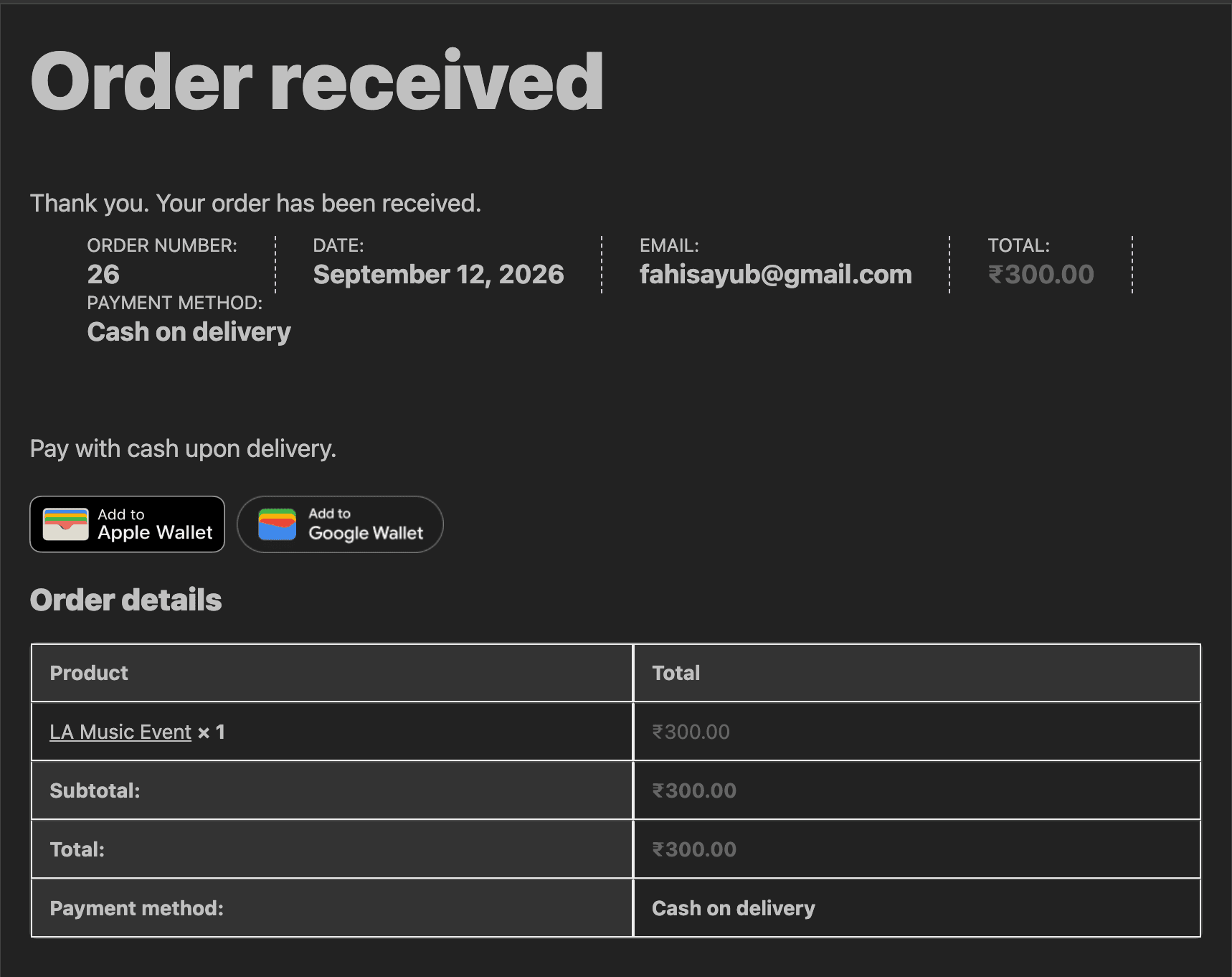
WooCommerce thank-you page showing Add to Apple Wallet and Add to Google Wallet
  • Both wallets are offered so nobody is stuck on the wrong device.
  • One pass per attendee — buying three tickets creates three passes.
  • Badges appear once passes are ready; the page polls until they exist.

What you configure

Settings under WooCommerce → Event Pass, plus an Event Pass tab on products that need manual setup.
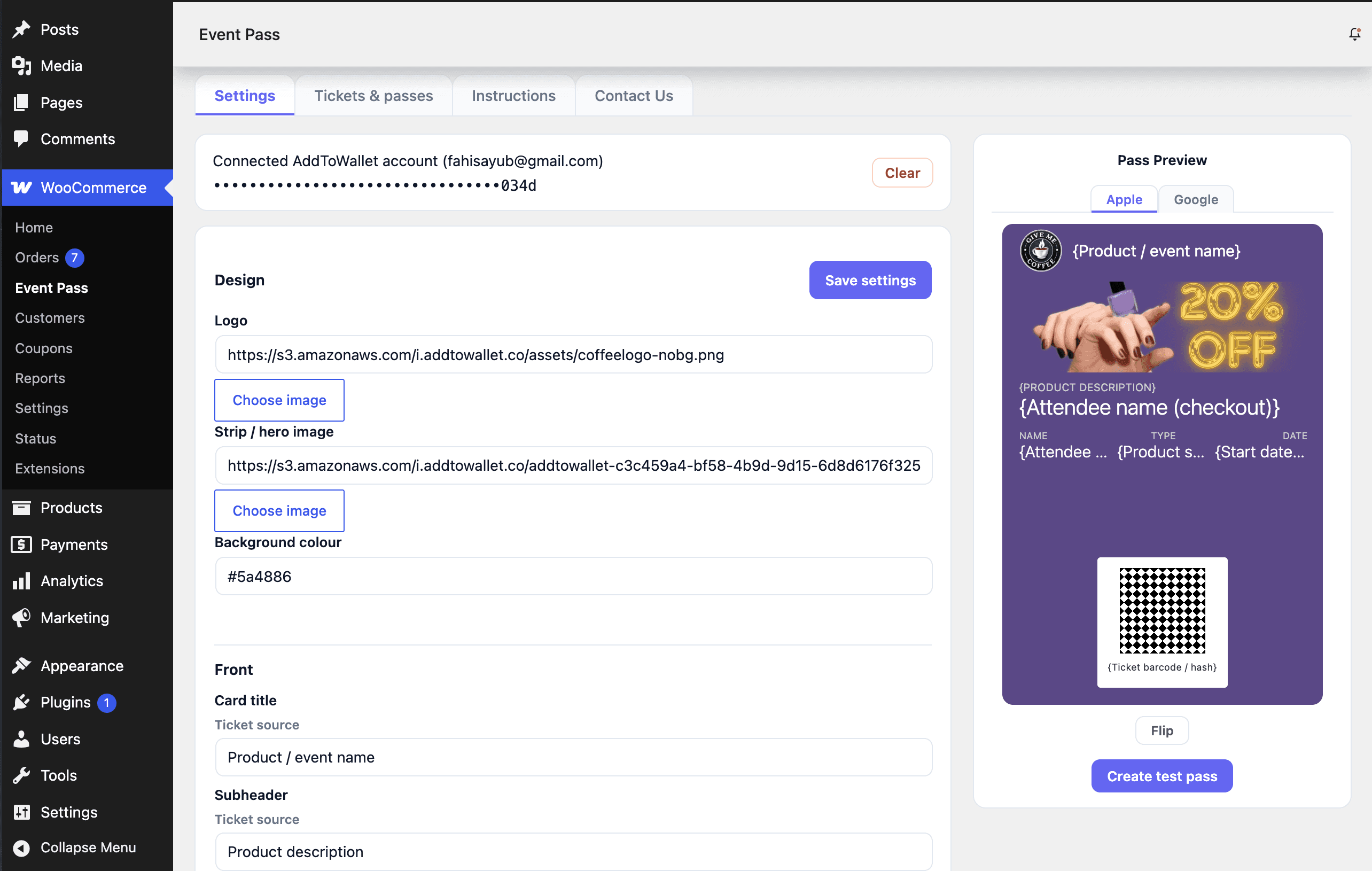
AddToWallet Event Pass settings with pass preview in WooCommerce admin
API key
Stored on your server and never sent to the browser. Paste it once; leave the replace field blank to keep it.
Design
Logo, strip/hero image, and background colour for every ticket pass.
Front
Map ticket sources (attendee name, event title, venue, barcode) to pass fields. Works with defaults out of the box.
Back
Link rows on the back of Apple and Google passes.
Pass preview
Apple and Google tabs with Flip — see the back before you sell tickets.

What you get

  • Add to Apple Wallet and Add to Google Wallet on thank-you and My Account → View order
  • One pass per attendee ticket — quantity 3 creates three passes
  • FooEvents and Event Tickets (TEC) auto-detected when installed
  • Manual Event Pass tab on any WooCommerce product
  • Field mapping from ticket data to pass rows and barcode
  • Flippable in-plugin Apple and Google preview on Settings and the product tab
  • Orders & passes tab lists every ticket and its pass link

Requirements

WordPress
5.8 or newer
PHP
7.4 or newer
WooCommerce
8.0 or newer
AddToWallet
Events or premium credits via your API key
Event plugin
FooEvents or Event Tickets optional — manual product tab works without them

Good to know

Each attendee pass uses one credit from your Events or premium balance. FooEvents and Event Tickets are auto-detected — no enable checkboxes. WooEvents (ExThemes) is not supported in v1. This plugin is not listed on WooCommerce.com — download the zip and upload it in WordPress. For order shipping tracking, use AddToWallet Order Pass — both plugins can run on the same store.