In WordPress go to Plugins → Add Plugin → Upload Plugin, choose the file, activate it, then open MEC → Wallet Pass. MEC Pro with booking must already be active.
How it works
1Install the plugin and paste your AddToWallet API key under MEC → Wallet Pass.
2Set your MEC thank-you page and add the [atw_mec_wallet] shortcode (or rely on auto-render).
3An attendee completes a booking — wallet badges appear on the thank-you page.
What your attendee sees
Wallet badges appear on the MEC thank-you page after checkout. Group bookings show one labelled badge pair per attendee. Both Apple and Google are offered.
Badges stay visible while the pass is being prepared, then link to the hosted pass page.
Both wallets are offered so attendees on any device can save the ticket.
Each attendee in a group booking gets their own pass and barcode.
What you configure
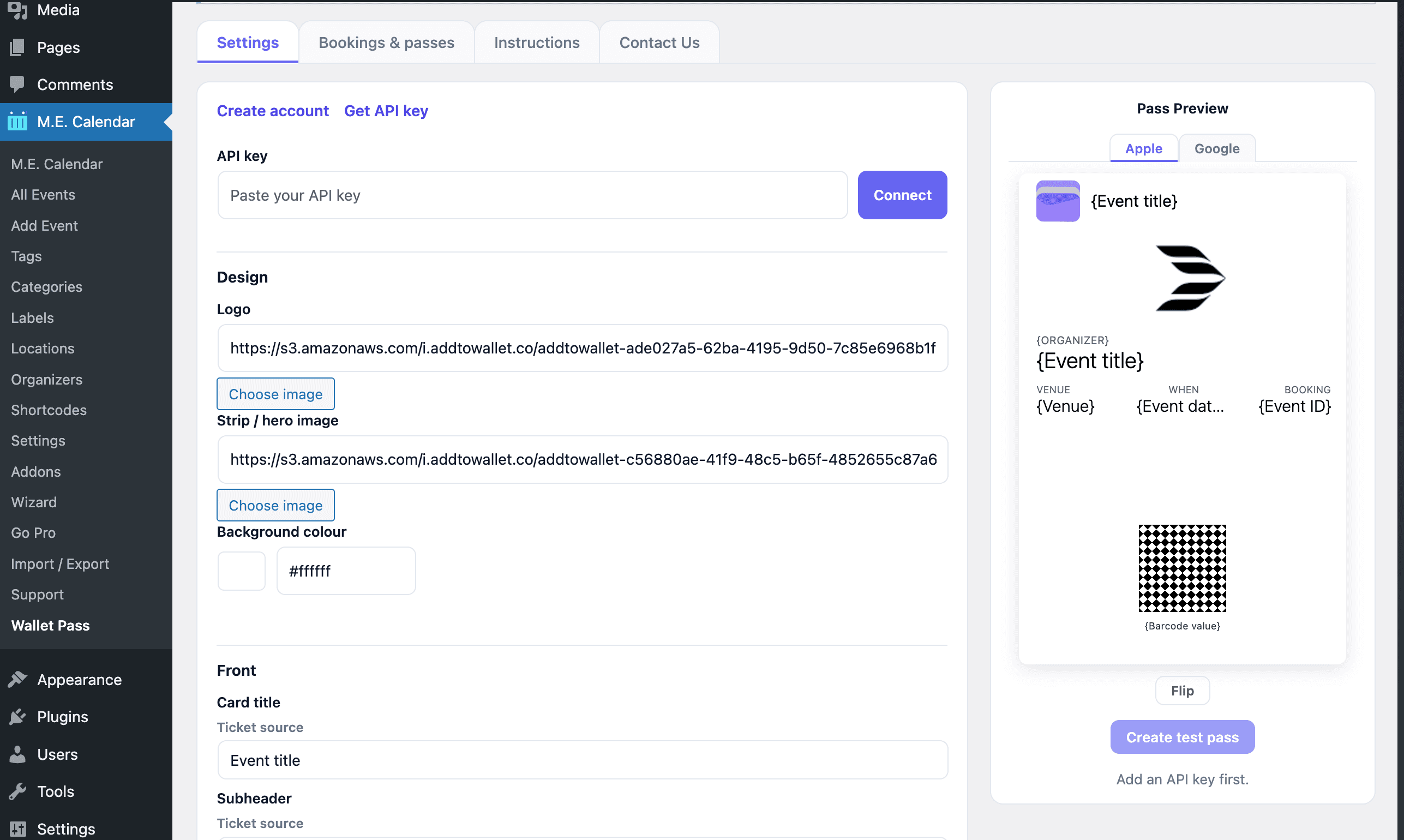
One settings screen under MEC → Wallet Pass, with tabs for bookings & passes and instructions.
API key
Stored on your server and never sent to the browser. Paste it once; leave the replace field blank to keep it.
Design
Logo, strip/hero image, and background colour for every event ticket pass.
Front
Map ticket sources (attendee name, event title, venue, transaction ID) to pass fields. Works with defaults out of the box.
Back
Link rows on the back of Apple and Google passes.
Pass preview
Apple and Google tabs with Flip — see the back before you go live.
What you get
Add to Apple Wallet and Add to Google Wallet on the MEC thank-you page
One pass per attendee — group bookings get a pass for each person
Updated bookings refresh the pass automatically
Rejected or cancelled bookings expire the pass in Wallet
Field mapping from MEC booking data to pass rows and barcode
Flippable in-plugin Apple and Google preview on Settings
Bookings & passes tab lists every attendee pass link
Requirements
WordPress
5.8 or newer
PHP
7.4 or newer
Modern Events Calendar
Pro with booking module enabled
AddToWallet
Premium or Events credits via your API key
Good to know
Each pass uses one credit — an order for four attendees uses four. If your balance runs out, ticket sales continue but no pass is created. Rejected or cancelled bookings expire passes automatically. MEC Lite without Pro booking is not supported.